Multi-GPU on one node
Serve bigger models, or the same model faster, by spreading it across the GPUs in one box — using tensor and data parallelism. See the benchmarks.
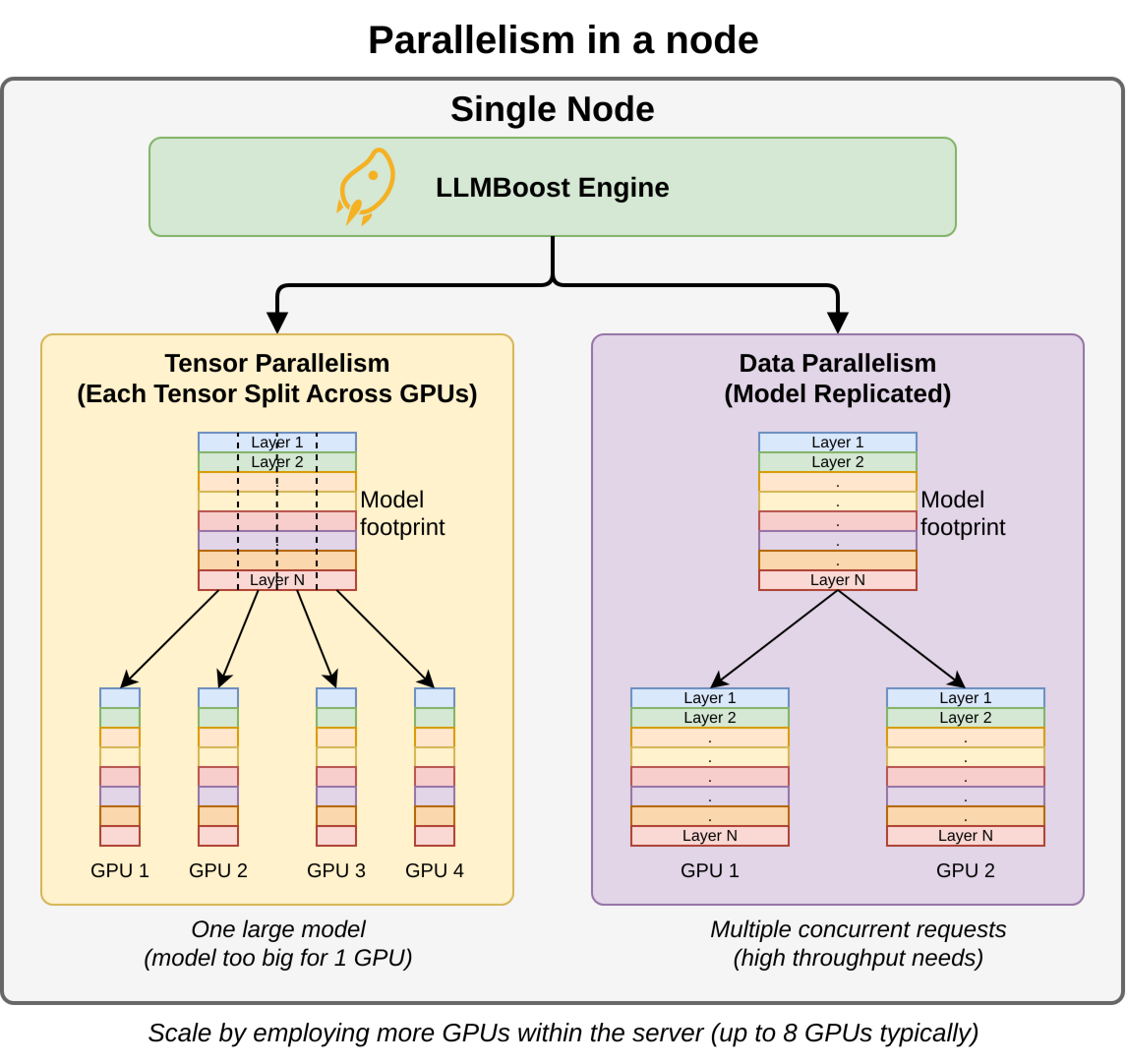
Tensor parallelism
Shard a single model's weights across GPUs — required when a model is too large for one card, and a throughput win when it isn't:
llmboost serve deepseek-ai/DeepSeek-V3.2 --tensor-parallel-size 8
Rule of thumb: --tensor-parallel-size = the number of GPUs you want this model
to occupy. Use a power of two that divides your GPU count.
Pick the right size
| Situation | Do this |
|---|---|
| Model fits on 1 GPU, want max throughput | Start with TP=1; scale up only if memory-bound. |
| Model too big for 1 GPU | Raise --tensor-parallel-size until it fits. |
| Plenty of VRAM headroom | Run multiple replicas instead of over-sharding. |
Memory
If you hit out-of-memory at load, lower the context cap or the memory fraction:
llmboost serve <model> \
  --tensor-parallel-size 2 \
  --max-model-len 8192 \
  --gpu-memory-utilization 0.9
Large models can hit out-of-memory at load and need their serving config tuned to fit; see Troubleshooting → out of memory. With LLMBoost Hub, the right configuration for the model + hardware is selected for you.
LLMBoost Hub
With LLMBoost Hub, parallelism is auto-selected for the model + box; override it in your run config when you need to.